Conversion Boost Kit
Nine ready-made elements and four landing page templates that help you persuade customers and get more orders: a buy section linked to your real product, features, benefits, comparison, reviews, FAQ and a closing call to action. Add the elements to any page of your store, or create a full landing page in one click from a template — no code, in Arabic and English.
Landing page templates
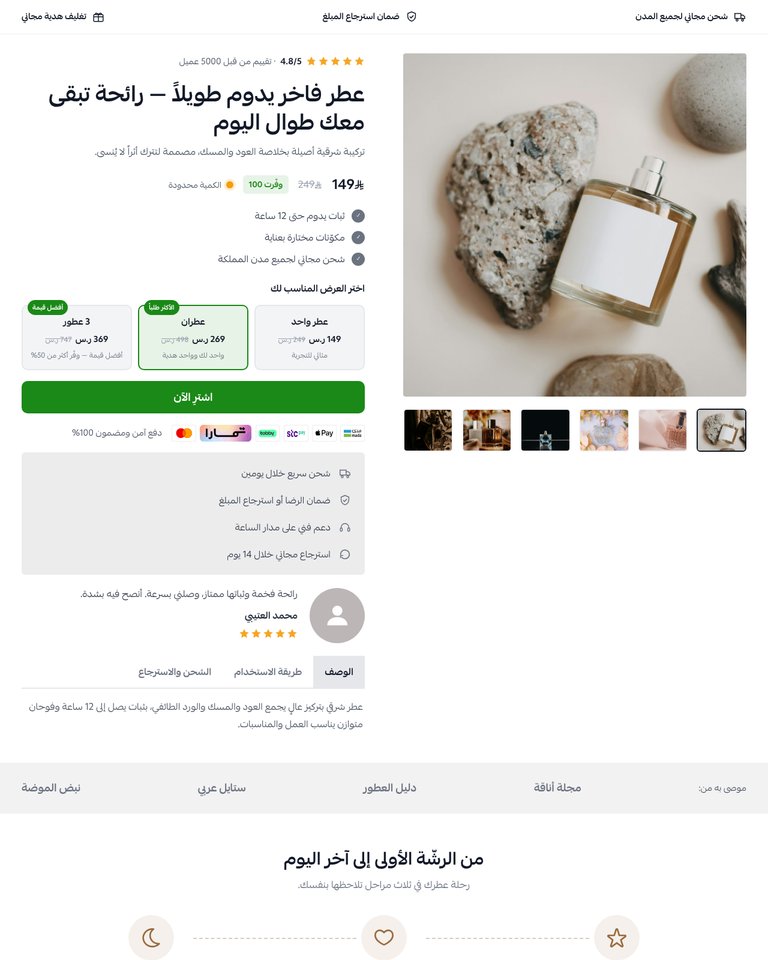
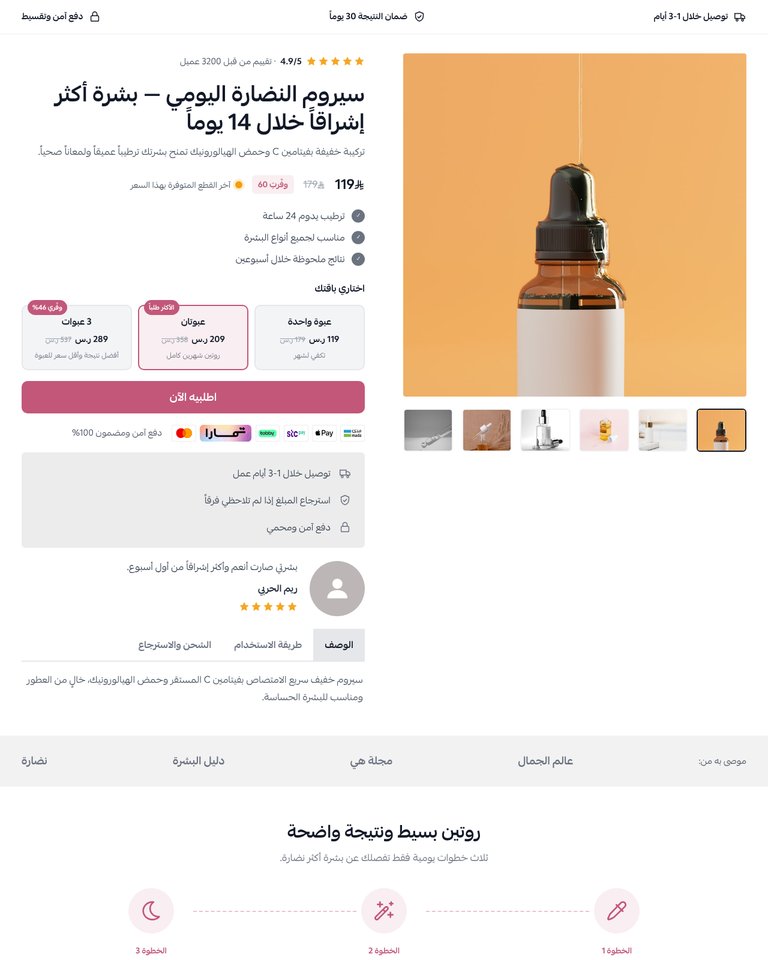
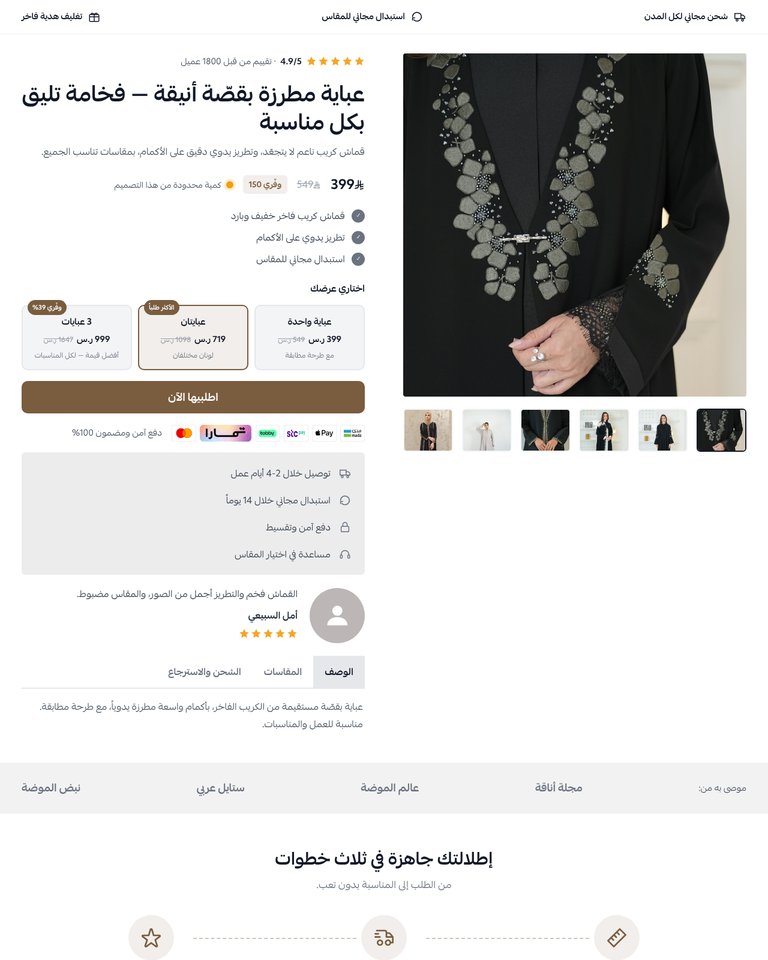
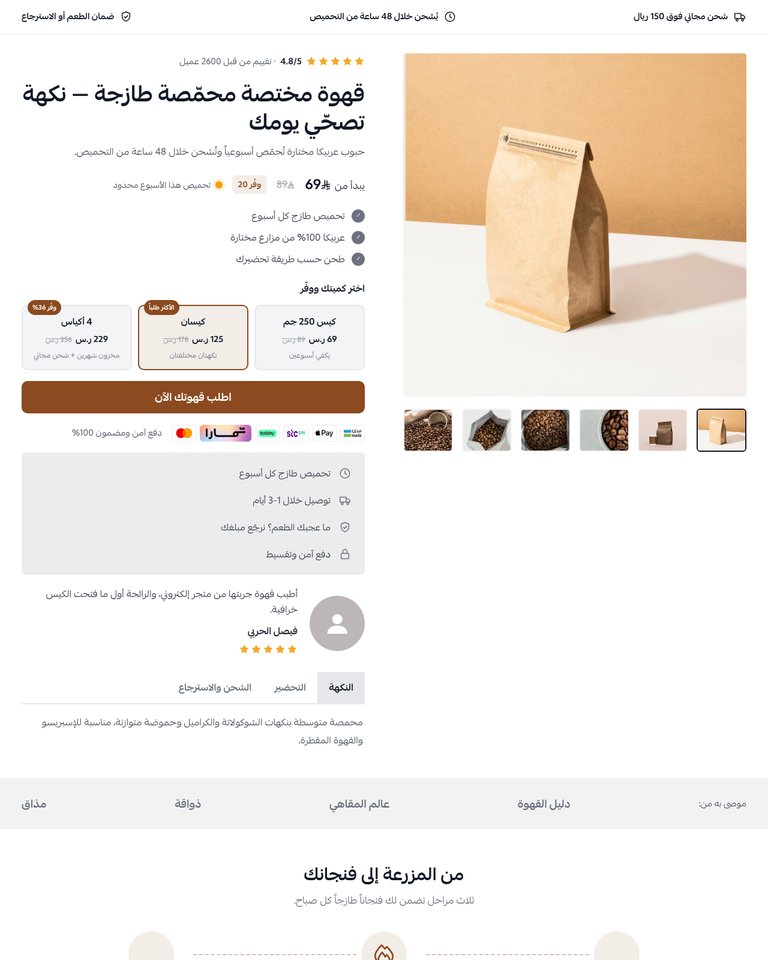
Complete landing pages, ready to use: pick the template closest to your product, then change the images and texts. Find them in your store dashboard under Sales channels → Landing pages.
Getting started
- After installing the bundle on your store, open the theme customizer from your store dashboard.
- Add the element you want to the page from the elements list, then click it to edit its texts, images and colors.
- Add as many elements as you like and reorder them; hide any part of an element from its settings.
- For a full landing page: go to Sales channels → Landing pages, pick one of the four templates, then edit the images and texts and link the main section to your product.
- Write texts in Arabic and English from the same field (AR / EN); layout direction follows the store language.
- Buy buttons in the other elements scroll to the Main Product element when it is on the same page, or open a link you choose.
Suggested image sizes
- Product images: square 1000×1000.
- Features and benefits: 1200×900.
- Customer photos: square 600×600.
- Video covers: portrait 720×1280.
- Final call to action background: 1920×800.
1Main Product
A complete buy section for one product: gallery, rating, price and discount, quantity offers, buy button, payment logos, trust card, a customer review and tabs for description, usage and shipping.
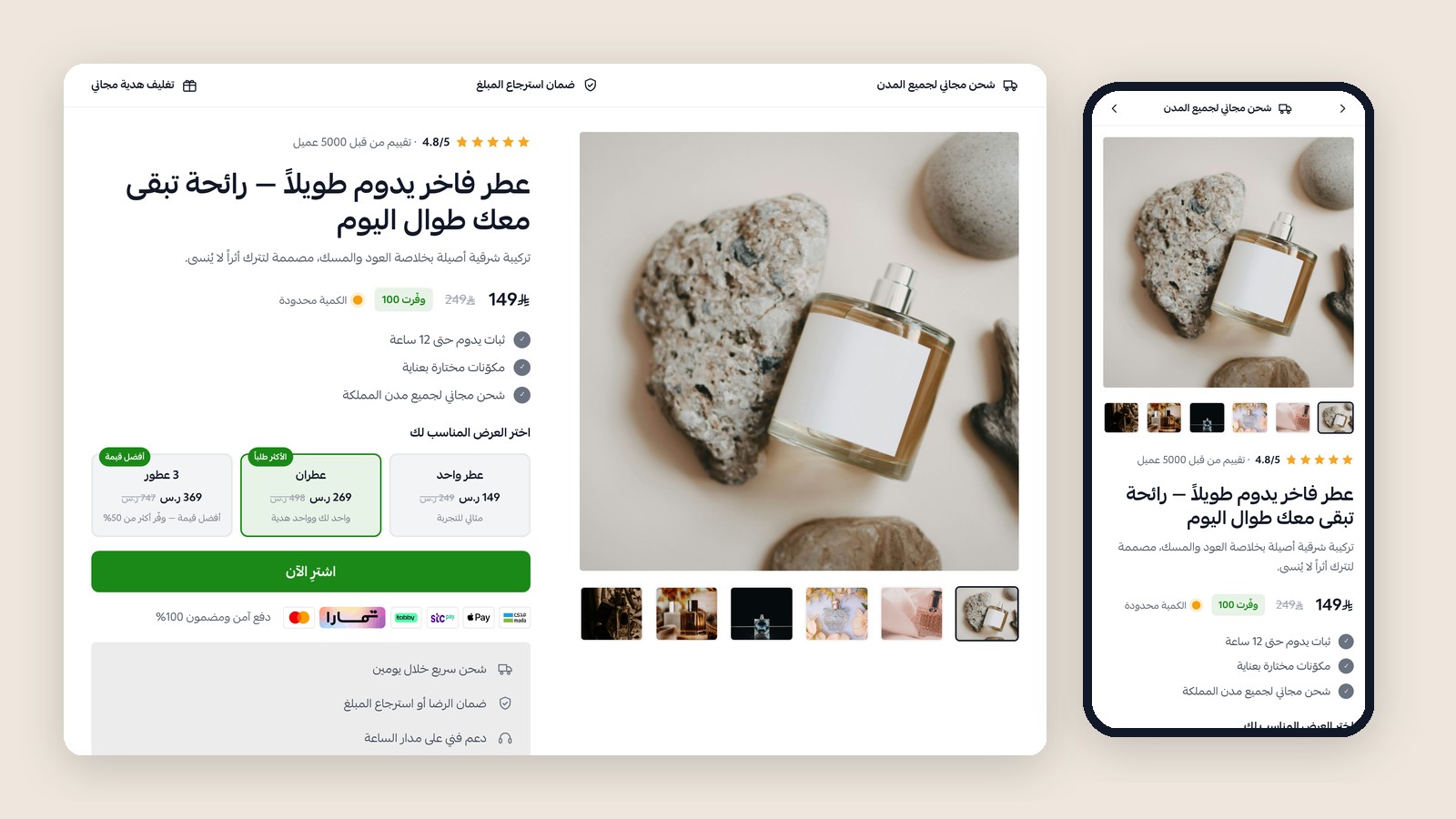
Key settings
- Pick a store product in “Linked product” to show its real price, images and options and add it straight to the cart.
- Offers source: automatic (shows the Bundles & Product Offers app when installed, otherwise your quantity offers), quantity offers only, or none.
- After the button is pressed: add to cart and open the cart, add and stay on the page, or open a custom link.
- Salla quick order can be shown when it is enabled in your store.
- The top features bar, trust card, review, tabs and “As recommended by” strip can each be shown or hidden.
2Transformation Steps
Two to four steps with icons and numbers that show the customer's journey from problem to result.
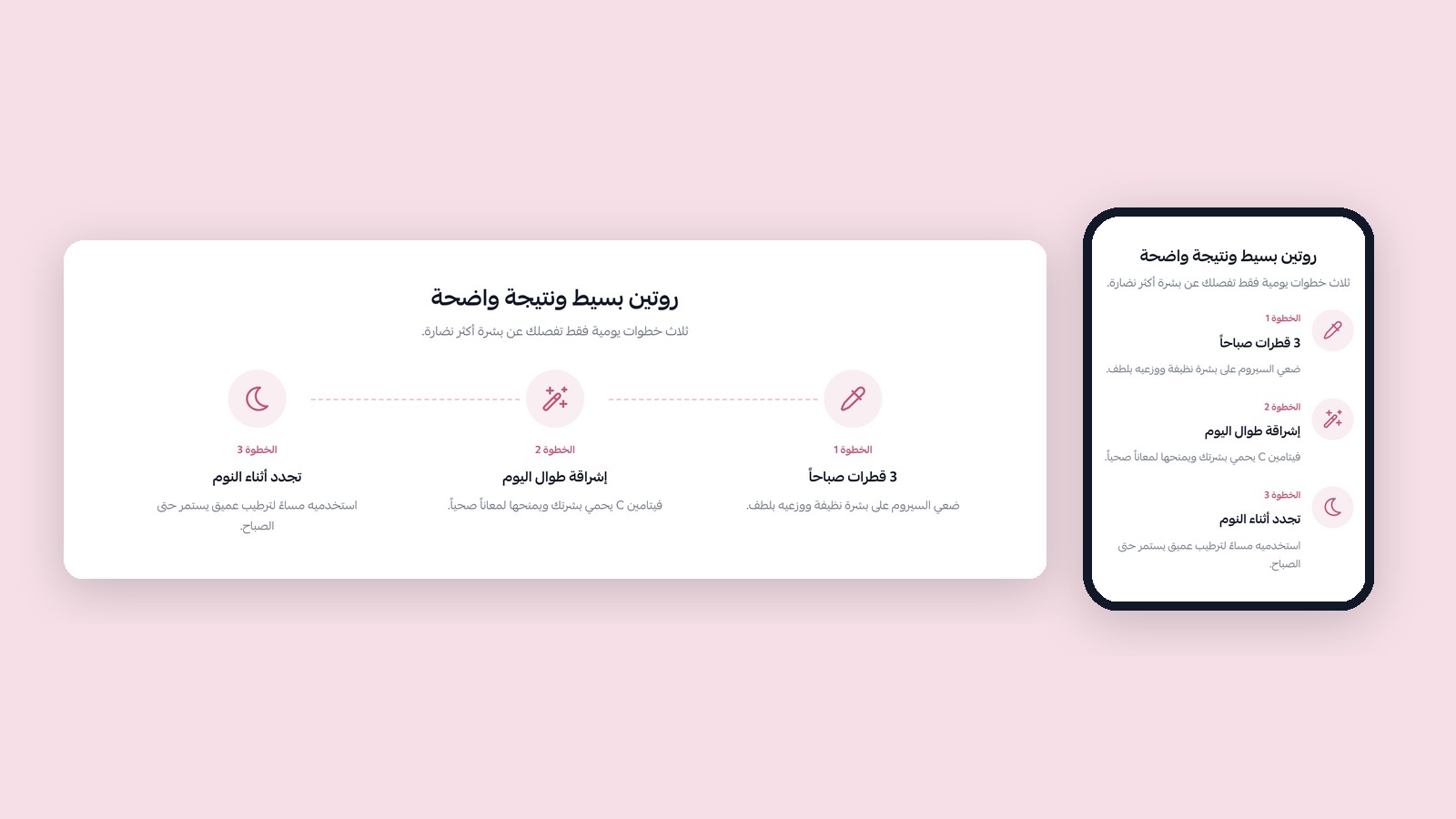
Key settings
- Each step has an icon, a title and a short description.
- Show or hide step numbers and the connecting line.
- Choose the icon and number color.
3Features
Alternating image and text rows that explain the product's features, with a “What's in the box” panel and an optional buy button.
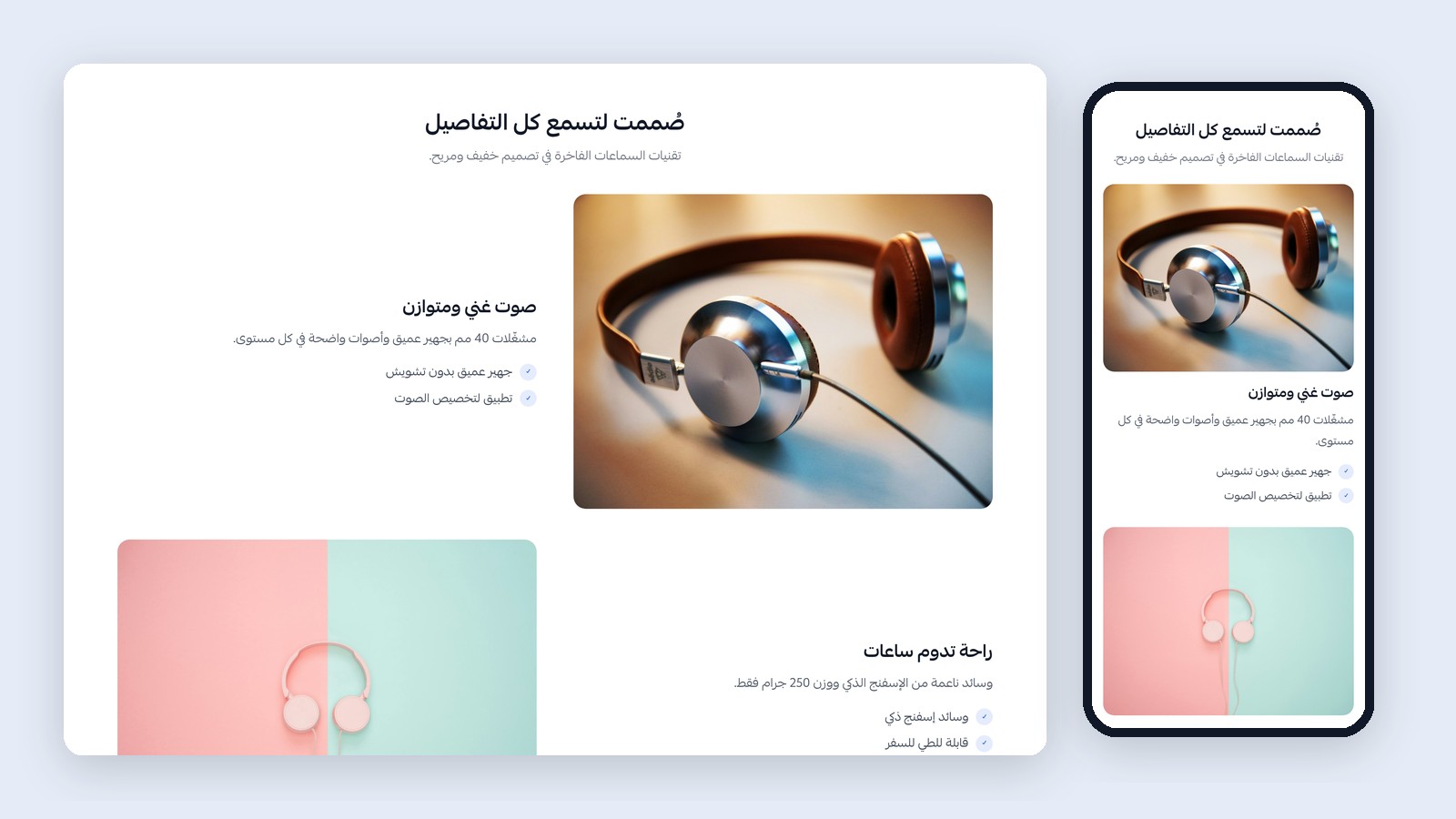
Key settings
- Each feature has an image, title, text and bullet points (one per line).
- Choose the side of the first image; the next rows alternate.
- The box panel has a title, text, an items list and an image.
4Benefits
Alternating image and text rows describing the benefits customers notice in daily life.
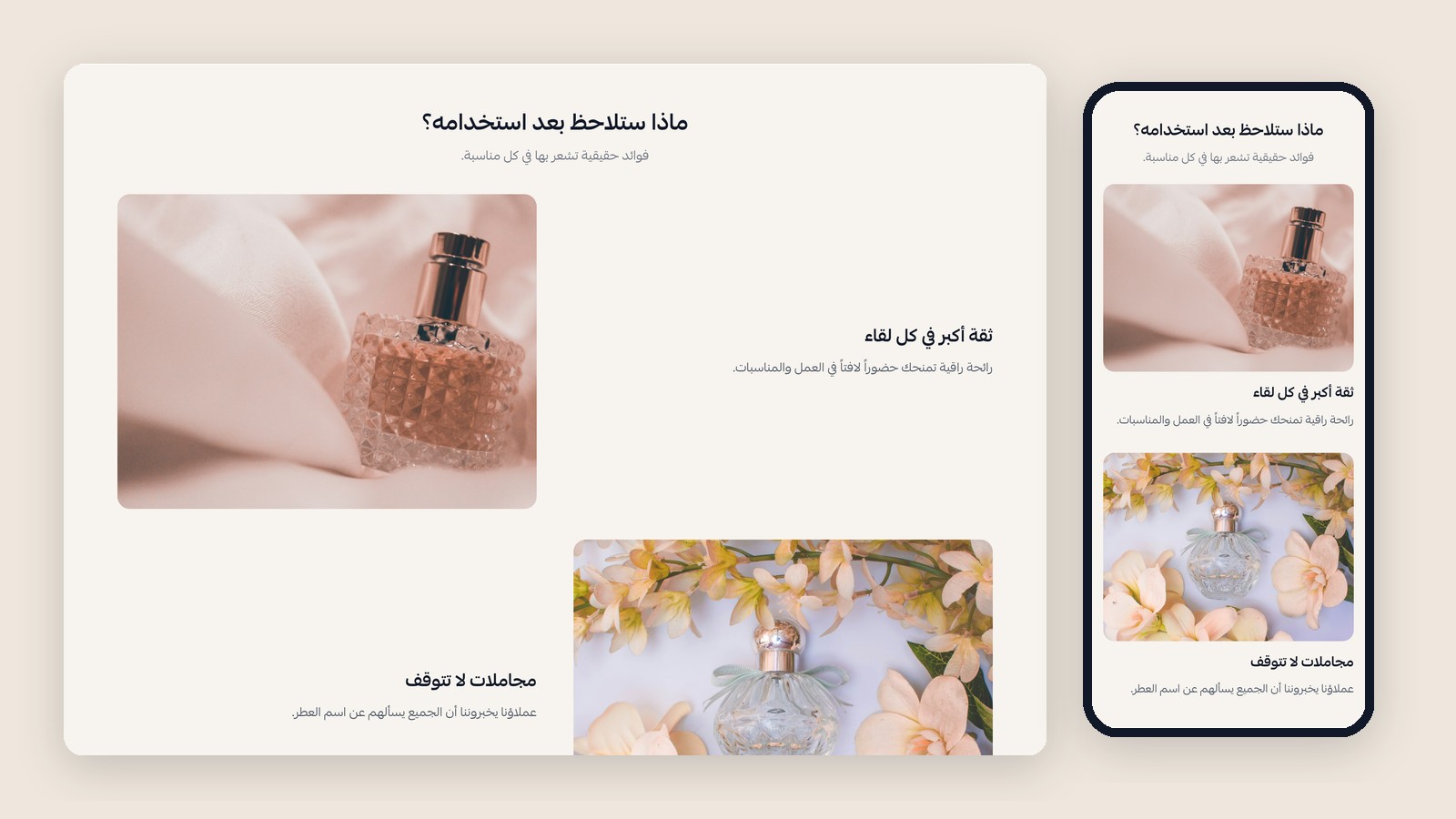
Key settings
- Each benefit has an image, title, text and optional bullet points.
- Change the ✓ color and the side of the first image.
5Social Proof
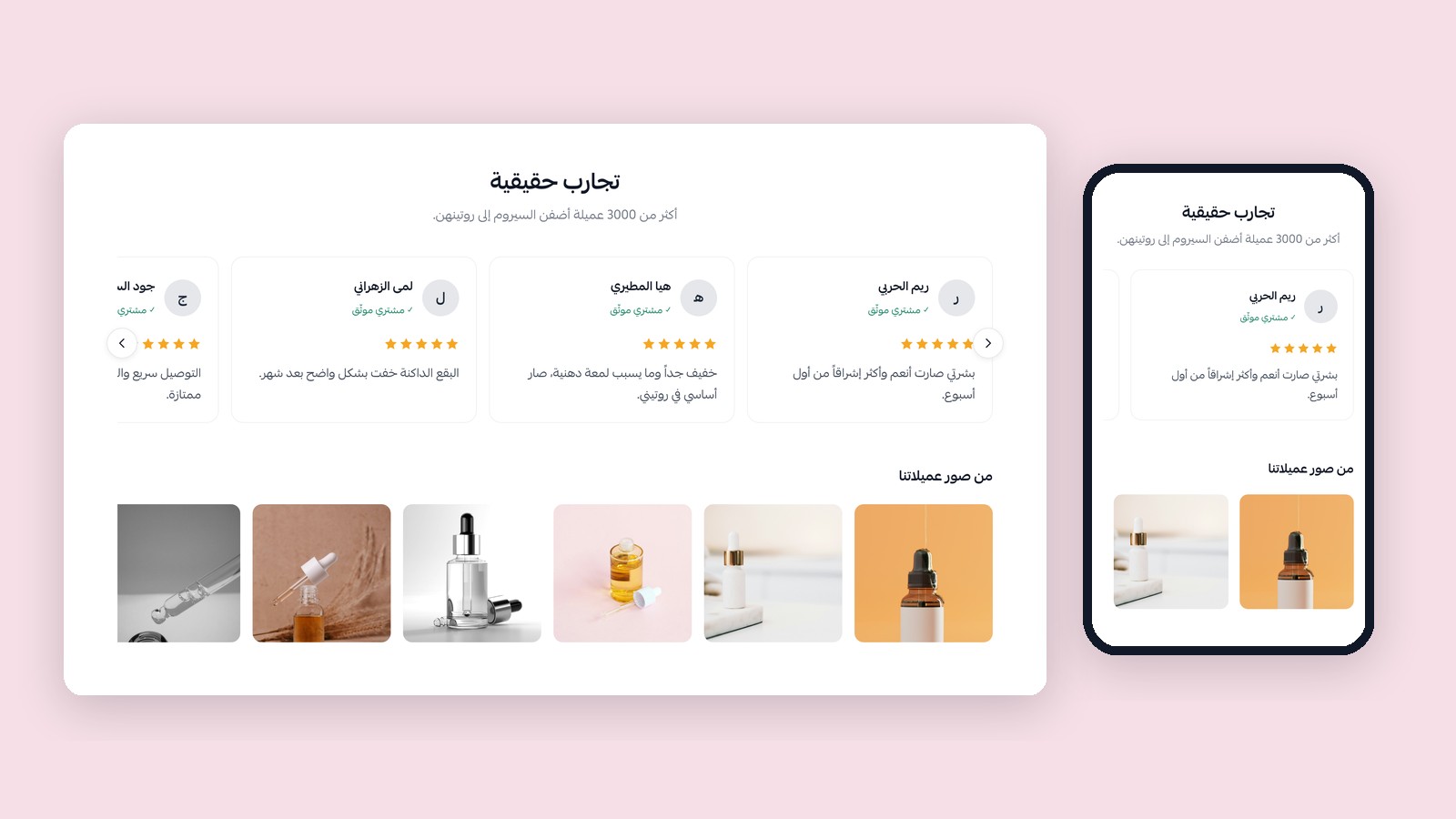
Written reviews in a slider, video reviews (YouTube, TikTok, Vimeo or mp4) and customer photos.
Key settings
- Reviews, videos and photos can each be shown or hidden.
- Each review has an avatar, name, stars, text and a “verified buyer” badge.
- Each video has a link and a cover image, and plays on the page.
6Store Highlights
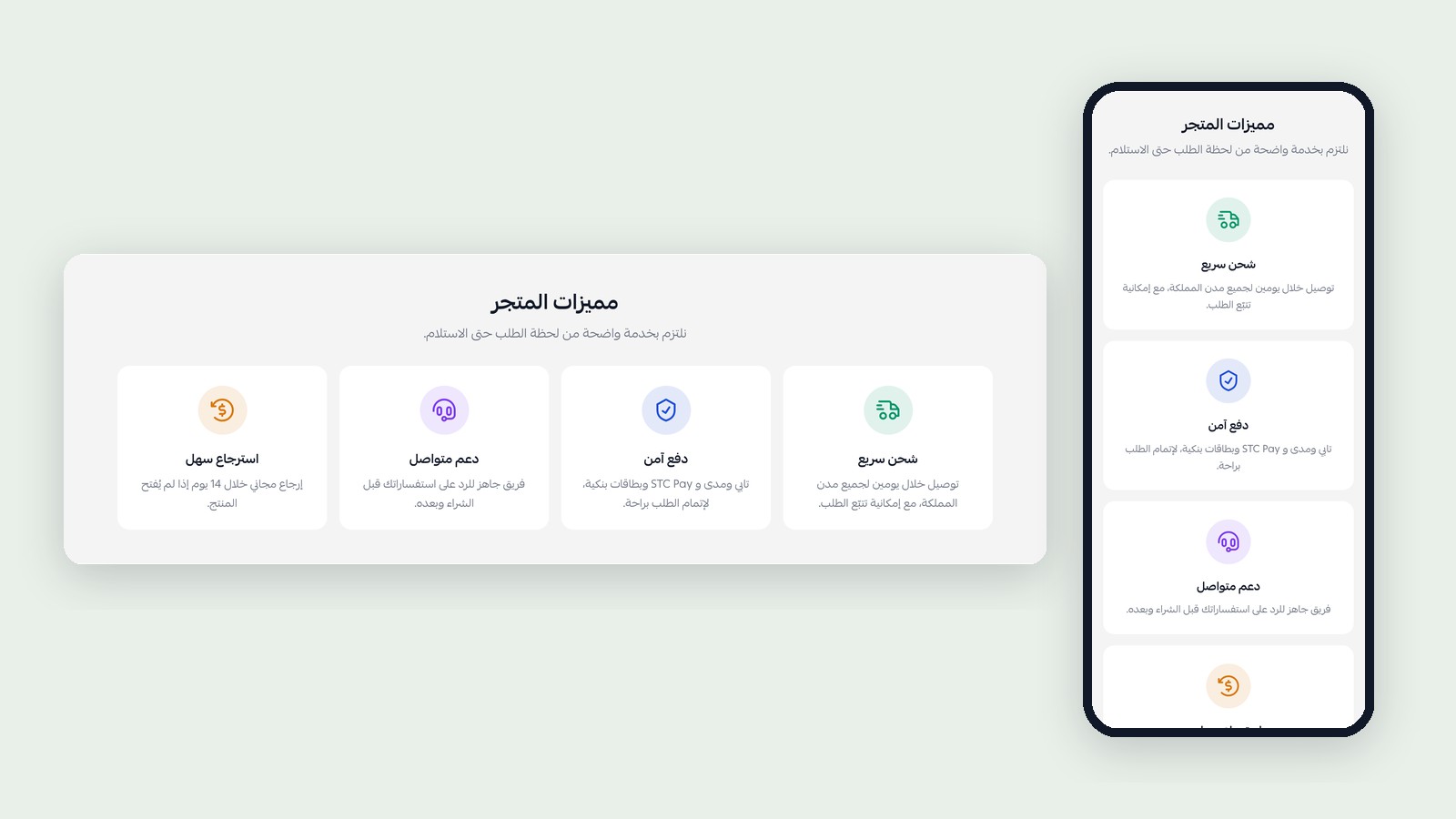
Cards highlighting your store's strengths such as fast shipping, secure payment, support and returns.
Key settings
- Each card has an icon or image, icon color, title and text.
- Up to four cards.
7Comparison
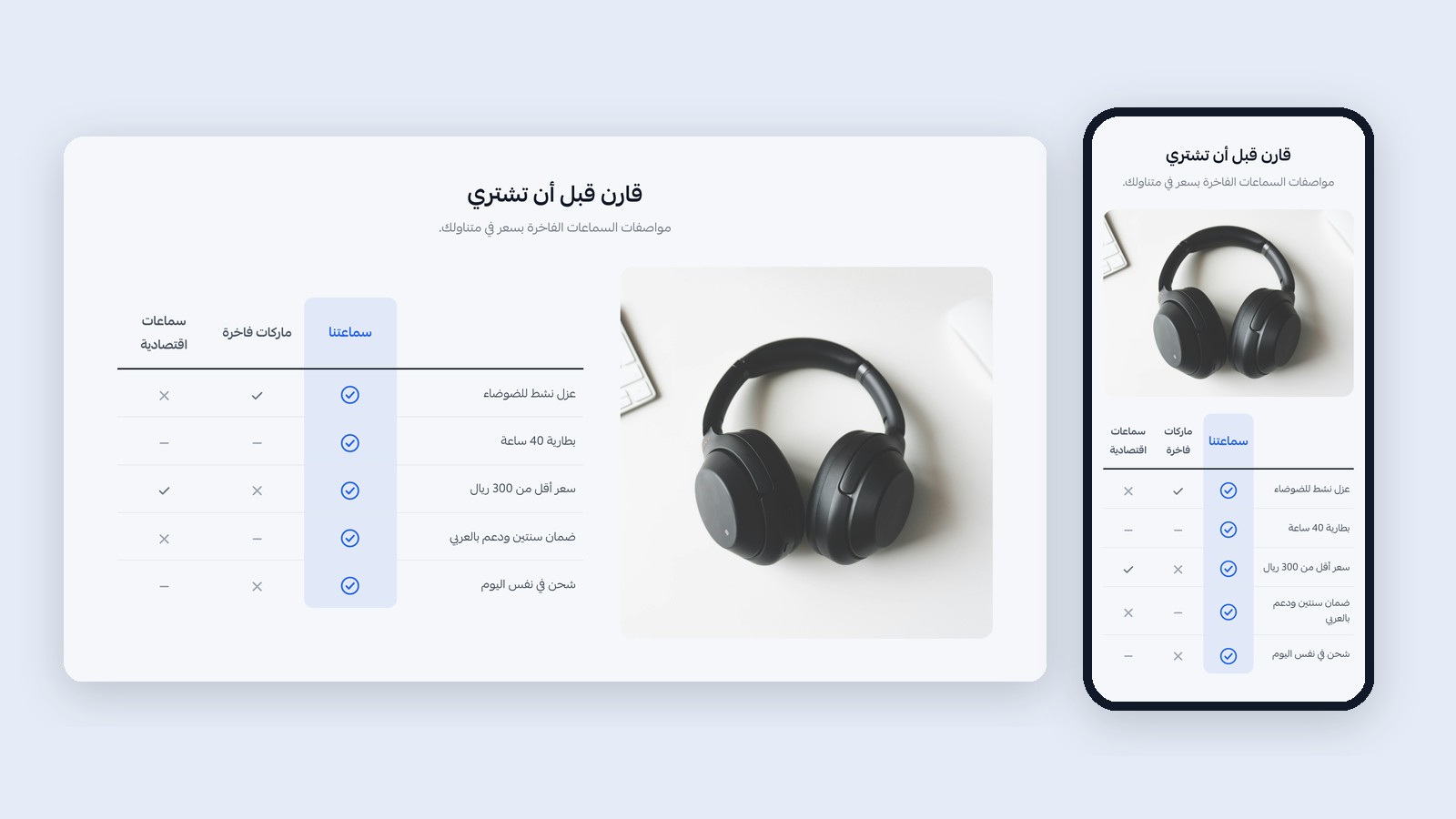
A table comparing your product with two alternatives (yes / partly / no) beside an image, to remove buyer doubt.
Key settings
- Your product name or logo, and the two alternatives' names.
- Each row has a feature and a mark for every column.
- Your column color, and show or hide the image.
8FAQ
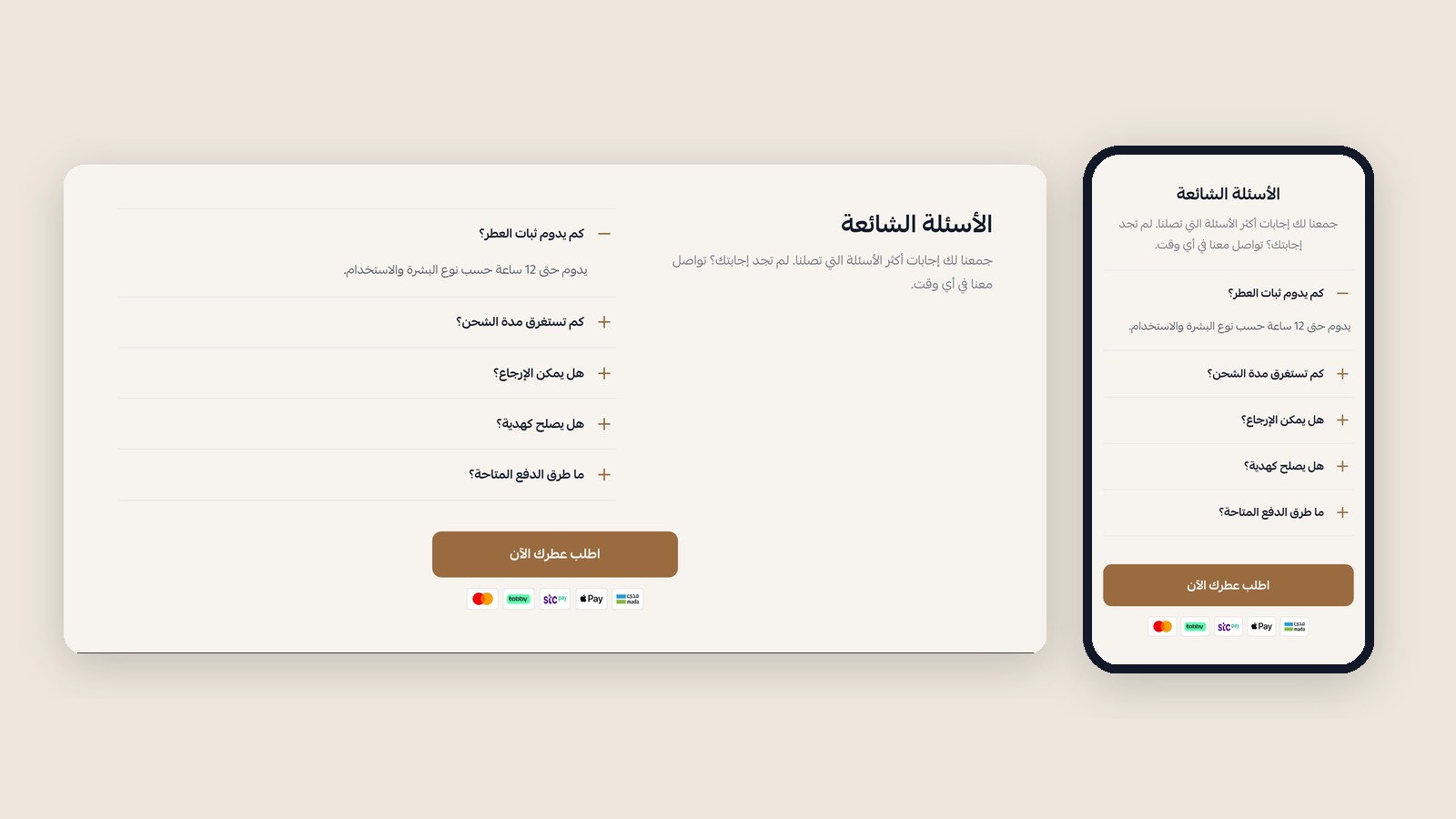
A heading and intro beside an expandable list of questions, with an optional buy button.
Key settings
- Layout: side by side or stacked.
- Open the first question automatically.
- Each item has a question and answer in Arabic and English.
9Final Call to Action
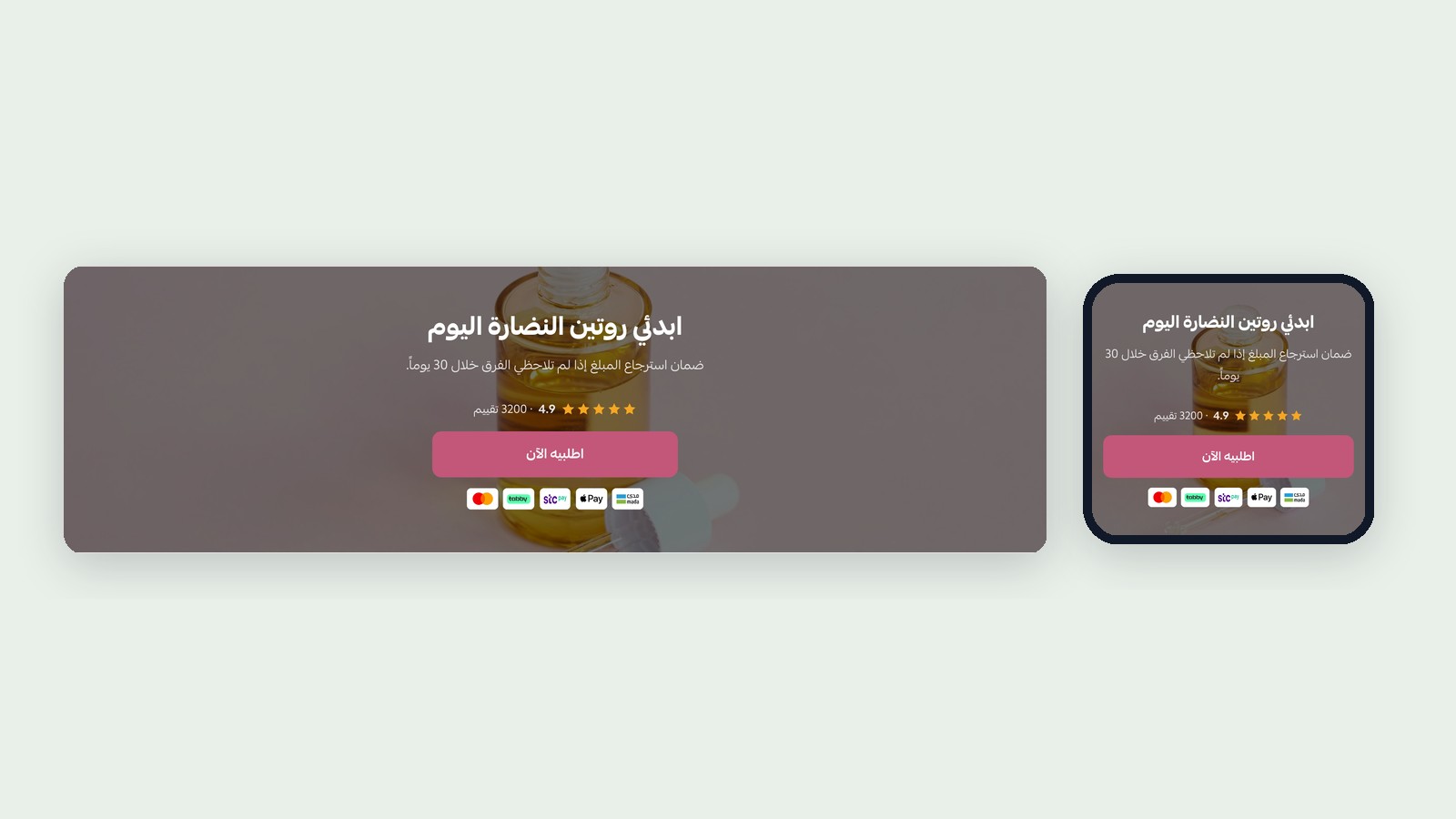
A closing headline with rating, buy button and payment logos, and an optional background image.
Key settings
- A background image with its overlay strength, or a plain color.
- Button text and color, and what happens when it is pressed.
Support
Contact us with any question before or after you buy: